
Job management for New Zealand trade businesses, connected to Xero. Say goodbye to job cards for good.
$30/user/month + GST · 14-day free trial · no credit card
Job management, scheduling, time and materials from the field, and purchase orders, in four steps.
Pick the customer straight from Xero and enter what needs doing.
Drag the job onto the calendar for the people and plant it needs.
Your team records parts, materials and time on their phones, and raises purchase orders on site.
Check the parts and time against the job, then create the invoice in Xero.
Customers, suppliers and products come from Xero, so there is nothing to import or re-key.
Approved time and materials become an invoice in Xero, not a second set of books.
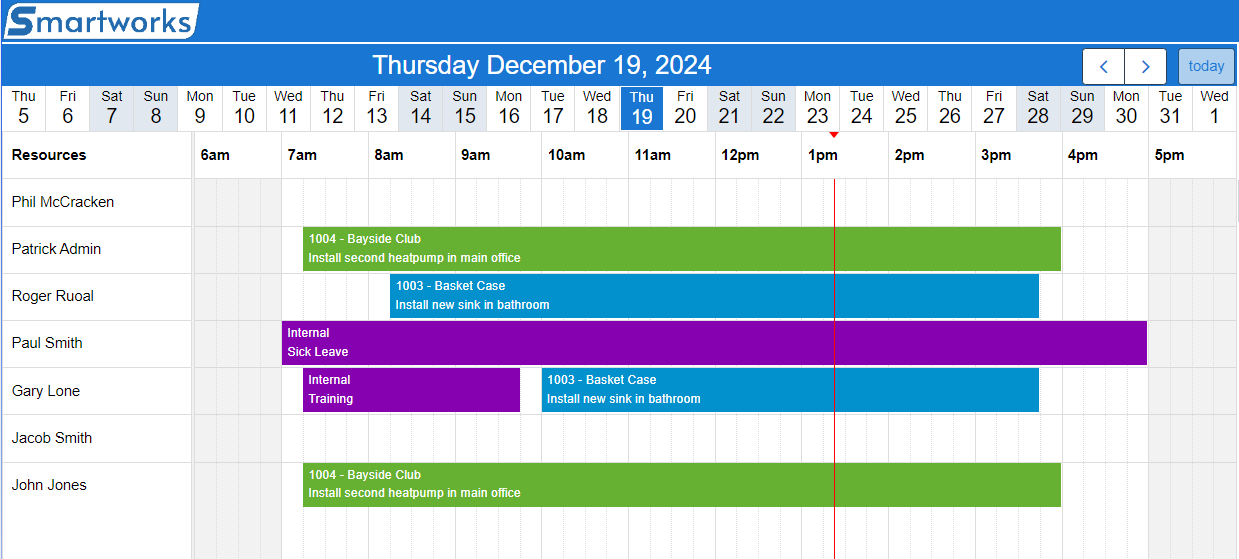
See who is where today, drag jobs onto team members and spot gaps at a glance.
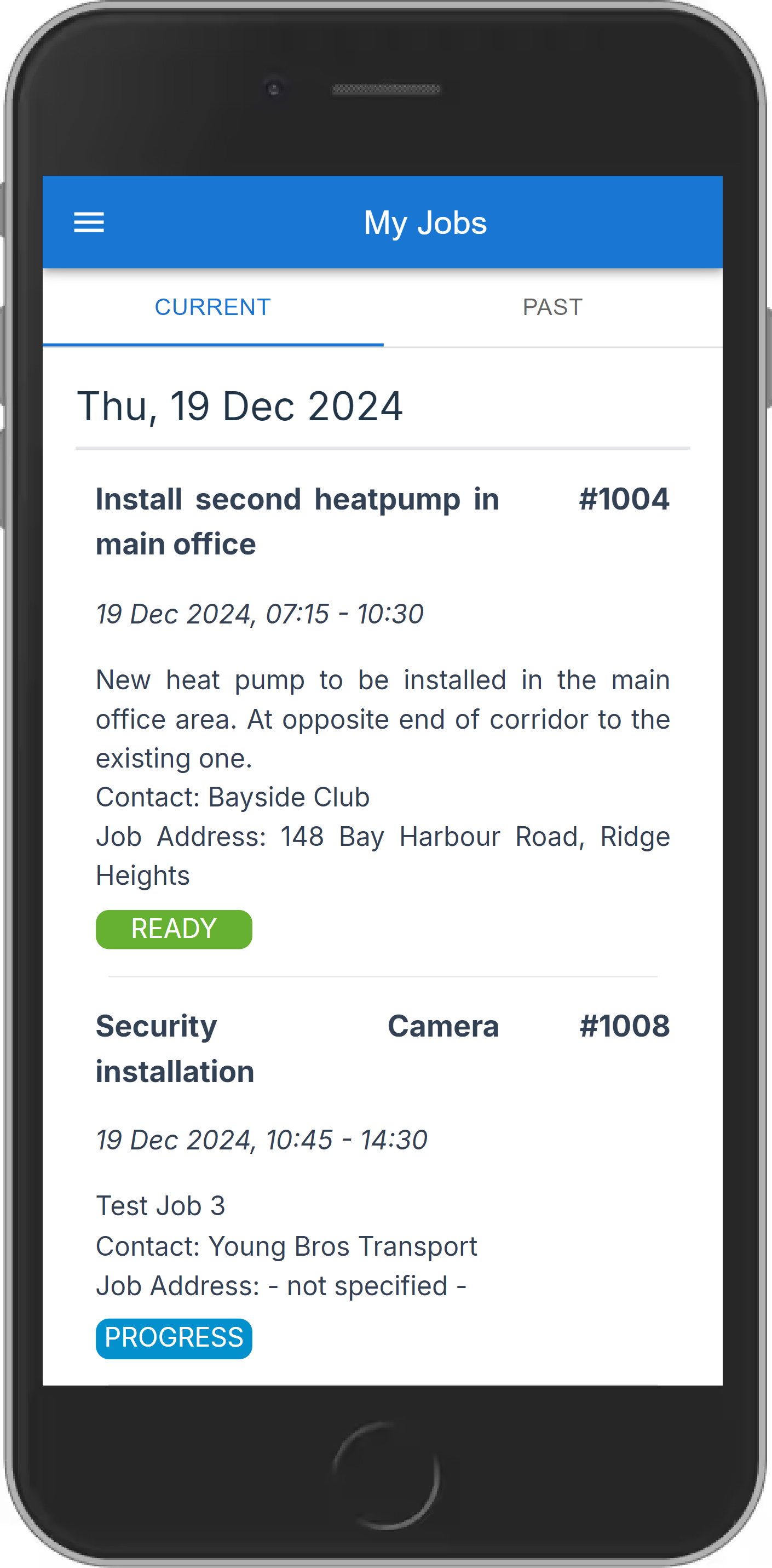
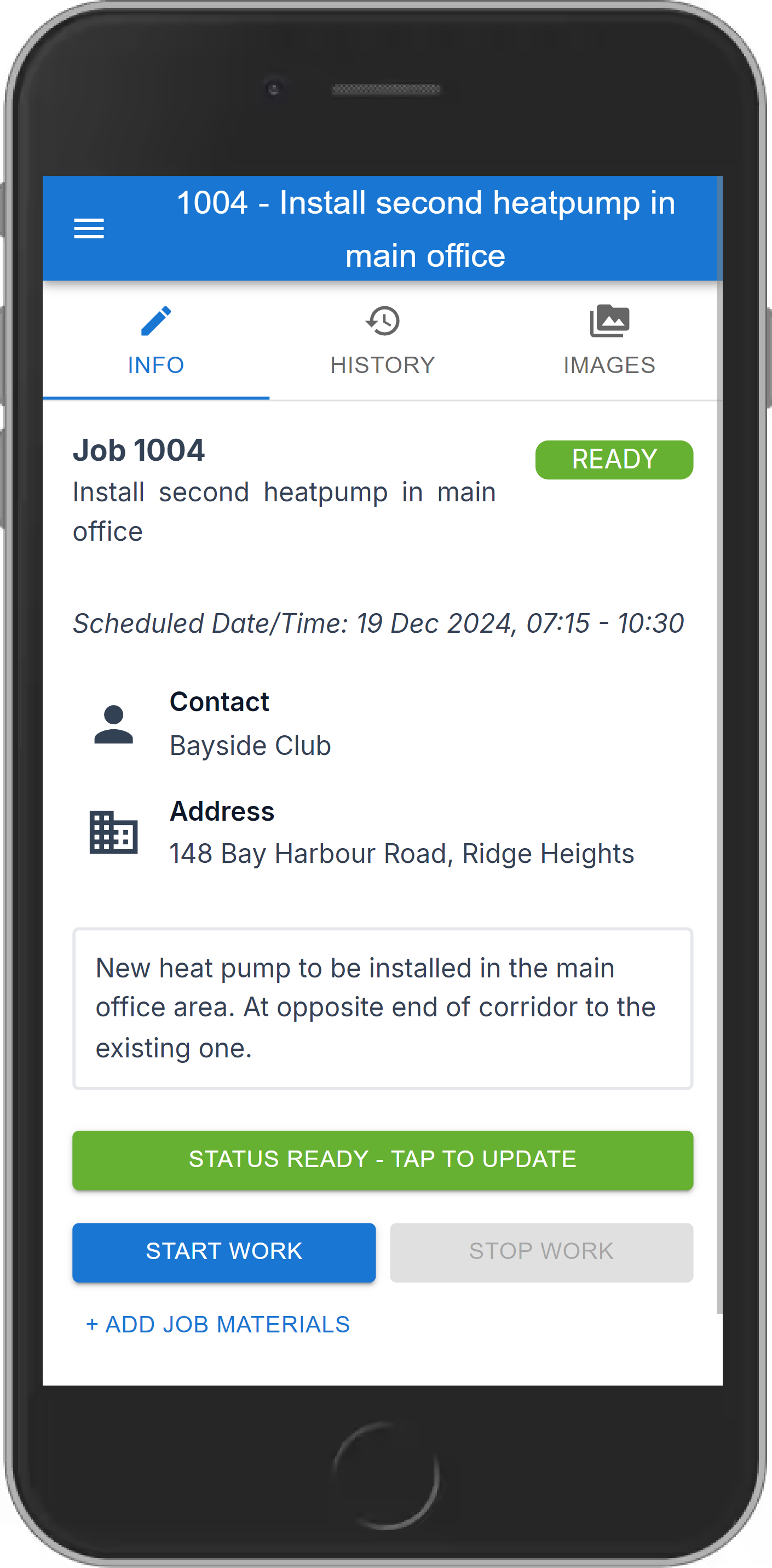
Team members see their day, start and stop work, and add parts and photos from site.
On-call techs create their own jobs and start the paperwork straight away.
Order the part from the job itself, and receive it against the job when it arrives.
Set up maintenance jobs once and Smartworks creates each visit on time.
Delegate work without giving staff access to your accounting software.
The desktop Scheduler and the mobile app work from the same jobs, so the office sees what the team records the moment they record it.
In the office
The office sees every booking in one place, linked to the customers and products already in Xero.
On site
A phone app built for the job, not a desktop screen squeezed onto a phone.
Back in Xero
Check the time and materials against the job, then create the invoice. It is made in Xero, ready to send.
Smartworks doesn't keep its own invoices, quotes or purchase orders. It creates them directly in Xero and opens them from Xero, so there is one set of financial records: the one your accountant already uses.
 Smartworks
Stays in Smartworks
Creates quotes, invoices, payments, purchase orders, bills and credit notes directly in Xero
Opens every document live from Xero
Customers, suppliers, products, accounts and tax rates, read straight from Xero
Your one set of financial records
Master data
Reports, GST returns and the year end, as usual
Works in Xero, as they do today.
There is no second copy of an invoice or purchase order in Smartworks to check against Xero. There is one, and it is in Xero.
Time, materials and purchases go from the job into Xero without an export, a spreadsheet or re-keying.
Your accountant keeps working in Xero. Smartworks adds the jobs, bookings and time behind each invoice.
Xero tracks stock for your accounts. Smartworks tracks it where the work happens: on the van, on the job and on the order.
See what is on hand and what is on order for every tracked product.
Optionally stop the team adding parts that are out of stock, on the phone or the desktop.
Turn tracking on for the parts you hold, and leave consumables and labour untracked.
How it fits with Xero. Your stock count lives in Smartworks, and the money lives in Xero. Purchase orders, bills and invoices still go to Xero as usual, but Smartworks keeps its own stock ledger rather than updating Xero’s tracked inventory. How stock and Xero fit together →
Schedule crews and follow each job’s status as it happens.
Capture quoting and charge-up costs to see each job’s margin.
Use your Xero customer and inventory lists so nothing is lost on paper.
Record time and materials as you go and invoice sooner.
Track materials and time on site, from quote through to install.
Get in touch to see how Smartworks can help your business.
One price per user, whether they're on the tools or in the office.
All prices in NZD, exclusive of GST.
No. Smartworks stays in sync with Xero, so there is nothing to import.
Invoices are created directly in Xero, so Xero is always up to date.
No. You choose which products your team sees, and you can group them so parts are easy to find.
Yes. Team members can create a job and start the paperwork straight away, including overnight and weekend callouts.
Xero looks after your accounting. Smartworks looks after the day-to-day: jobs, customers, scheduling, and the time and materials your team records.
It lets you hand out work without giving staff access to your accounting software, and your team records time and materials from their phones.
No. Your team uses Smartworks, so no additional Xero users are needed.
No. You pay $30 + GST per user per month, and the first 14 days are free with no credit card.
No. You choose which customers and suppliers your team can see.
Set up product groups to sort parts by supplier or type, and control which items your team can use.
Our guides walk through every screen in the Scheduler and the Mobile app, step by step. Open the guides →
See Smartworks on your own jobs. Email us and we'll walk you through the Scheduler, the mobile app and your Xero connection.
The office uses the desktop Scheduler. Team members on site use the mobile app.